
Introduction
The Ayushman Bharat Pradhan Mantri Jan Arogya Yojana (PM-JAY) is one of India’s largest government-funded health insurance schemes. It provides eligible families with cashless healthcare benefits at empaneled hospitals across the country. Millions of beneficiaries can receive medical treatment without worrying about expensive hospital bills.
To make healthcare services more accessible, the government has enabled citizens to download their Ayushman Card online. This card serves as proof of eligibility and allows beneficiaries to avail themselves of healthcare services under the scheme. Whether you want to check your eligibility, find a nearby empaneled hospital, or apply for a PVC Ayushman Card, the entire process can now be completed online.
In this article, you will learn how to download the Ayushman Card online, check eligibility status, locate approved hospitals, understand PVC card details, and get answers to frequently asked questions.
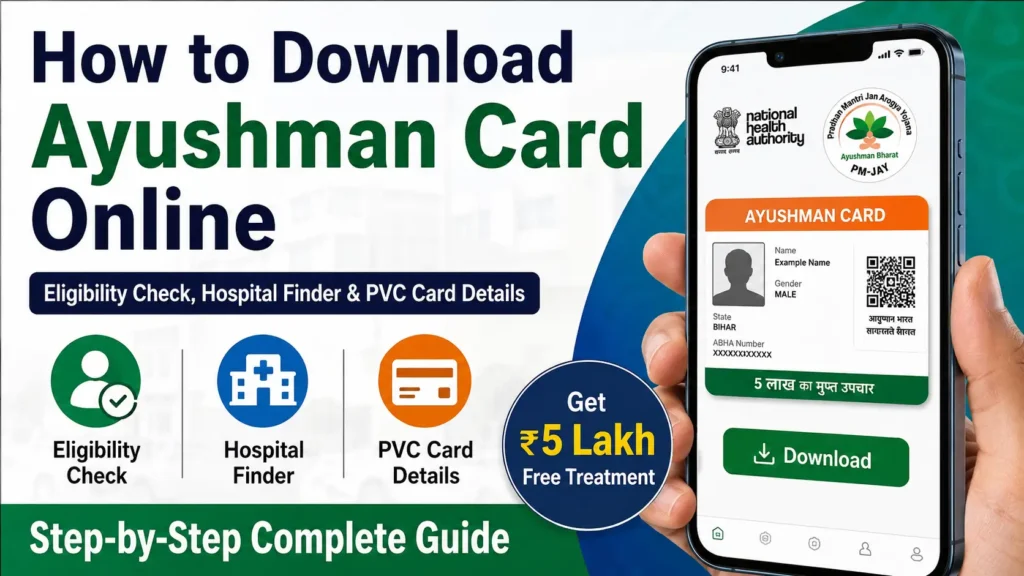
What is an Ayushman Card?
An Ayushman Card is a digital health identification card issued to eligible beneficiaries under the Ayushman Bharat PM-JAY scheme. The card contains important beneficiary details and helps hospitals verify eligibility for cashless treatment.
The scheme provides health insurance coverage of up to ₹5 lakh per family per year for secondary and tertiary hospitalization expenses.
Key Benefits of the Ayushman Card
- Cashless treatment at empaneled hospitals
- Coverage of up to ₹5 lakh per family annually
- Access to thousands of government and private hospitals
- No restriction on family size
- Coverage for pre-existing diseases
- Digital card available online
- Easy hospital verification process
Ayushman Bharat PM-JAY Overview
| Particulars | Details |
|---|---|
| Scheme Name | Ayushman Bharat PM-JAY |
| Launched By | Government of India |
| Coverage Amount | Up to ₹5 Lakh per Family per Year |
| Beneficiaries | Eligible Families Identified by Government |
| Application Mode | Online and Offline |
| Card Type | Digital and PVC Card |
| Hospital Access | Government and Empaneled Private Hospitals |
| Official Service | Ayushman Bharat PM-JAY |
Who is Eligible for Ayushman Card?
Eligibility is determined based on the Socio-Economic Caste Census (SECC) data and other government databases.
Rural Eligibility Categories
Families may qualify if they:
- Live in a single-room house with temporary walls and roof
- Have no adult member aged between 16 and 59 years
- Belong to Scheduled Caste (SC) or Scheduled Tribe (ST)
- Work as landless laborers
- Depend on manual labor for livelihood
- Have disabled members without an able-bodied adult
Urban Eligibility Categories
Workers from various occupational groups may qualify, including:
- Domestic workers
- Drivers
- Security guards
- Street vendors
- Plumbers
- Electricians
- Sanitation workers
- Construction workers
- Housekeeping staff
Documents Required
Before downloading or applying for the Ayushman Card, keep the following documents ready:
| Document | Purpose |
|---|---|
| Aadhaar Card | Identity Verification |
| Mobile Number | OTP Authentication |
| Ration Card | Family Verification |
| Family ID (If Applicable) | Eligibility Confirmation |
| Address Proof | Verification Process |
How to Check Ayushman Card Eligibility Online?
You can verify whether your family is included in the beneficiary list before downloading the card.
Step-by-Step Process
Step 1
Visit the official Ayushman Bharat beneficiary portal.
Step 2
Enter your registered mobile number.
Step 3
Verify the OTP received on your mobile phone.
Step 4
Select your state.
Step 5
Search using one of the following:
- Mobile Number
- Aadhaar Number
- Family ID
- Name and Location
Step 6
View your eligibility status instantly.
If your family appears in the beneficiary database, you can proceed with card generation and download.
How to Download Ayushman Card Online?
Downloading the Ayushman Card has become simple through the beneficiary portal.
Follow These Steps
Step 1: Access the Beneficiary Portal
Open the Ayushman Bharat beneficiary portal using your smartphone or computer.
Step 2: Login
Enter your registered mobile number and verify using OTP.
Step 3: Search Beneficiary
Choose your state and search using:
- Aadhaar Number
- Mobile Number
- Family ID
Step 4: Verify Details
Confirm the beneficiary information displayed on the screen.
Step 5: Complete Authentication
Authenticate through Aadhaar OTP or other approved methods.
Step 6: Download Card
Once verification is completed:
- Click Download Ayushman Card
- Save the PDF copy
- Print it if required
Your Ayushman Card is now ready for use.
How to Download Ayushman Card Using Aadhaar Number?
Many beneficiaries prefer downloading the card using their Aadhaar details.
Process
- Visit the beneficiary portal.
- Login using your mobile number.
- Select Aadhaar as the search option.
- Enter the Aadhaar number.
- Verify through OTP.
- Locate your beneficiary profile.
- Download the Ayushman Card PDF.
This method is commonly used because Aadhaar verification is quick and secure.
How to Find an Empaneled Hospital?
One of the most useful features of the Ayushman Bharat scheme is access to a large network of hospitals.
Hospital Search Process
Step 1
Open the hospital search section.
Step 2
Choose:
- State
- District
- Hospital Type
Step 3
Click Search.
The system will display:
- Hospital Name
- Address
- Contact Information
- Specialty Services Available
Benefits of Hospital Finder
- Locate nearby hospitals
- Check specialty treatments
- Verify PM-JAY approval status
- Access contact information instantly
What is an Ayushman PVC Card?
A PVC Ayushman Card is a durable plastic version of the standard digital card.
It contains:
- Beneficiary Name
- Unique Identification Details
- QR Code
- Family Information
- Authentication Details
The PVC card is easier to carry and lasts longer than paper printouts.
Advantages of PVC Card
- Waterproof
- Durable
- Professional appearance
- Easy hospital verification
- Long-term usability
How to Get an Ayushman PVC Card?
After generating your digital Ayushman Card, you may request a PVC version through authorized service centers or designated facilities.
General Process
| Step | Action |
|---|---|
| 1 | Download Ayushman Card |
| 2 | Verify Beneficiary Details |
| 3 | Submit PVC Card Request |
| 4 | Pay Applicable Charges (if any) |
| 5 | Receive Printed PVC Card |
Processing time may vary depending on the service provider and location.
Common Reasons Why Ayushman Card Download Fails
Many users face issues while downloading the card. Below are common reasons:
| Issue | Possible Reason |
|---|---|
| OTP Not Received | Mobile Network Issue |
| Record Not Found | Beneficiary Not Listed |
| Aadhaar Mismatch | Incorrect Information |
| Authentication Failed | Verification Error |
| Website Slow | High User Traffic |
Solution Tips
- Ensure your mobile number is active.
- Verify Aadhaar details carefully.
- Retry during non-peak hours.
- Contact support if the issue persists.
Important Benefits of Ayushman Bharat PM-JAY
The scheme has transformed healthcare access for millions of families.
Major Benefits
- Financial protection during medical emergencies
- Cashless hospitalization
- Coverage for major surgeries
- Treatment in private hospitals
- Nationwide portability
- Coverage for pre-existing illnesses
- No age restrictions for beneficiaries
Safety Tips for Beneficiaries
While downloading or using your Ayushman Card, follow these precautions:
- Use only official government portals.
- Never share OTP with unknown persons.
- Verify hospital empanelment before treatment.
- Keep Aadhaar details updated.
- Store digital copies securely.
Frequently Asked Questions (FAQs)
1. What is the Ayushman Card?
The Ayushman Card is a health benefit card issued under Ayushman Bharat PM-JAY that enables eligible families to receive cashless healthcare services.
2. How much coverage is available under the scheme?
Eligible families can receive health insurance coverage of up to ₹5 lakh per year.
3. Can I download the Ayushman Card online?
Yes, eligible beneficiaries can download the card online after successful verification.
4. Is Aadhaar mandatory for downloading the card?
Aadhaar is commonly used for verification, but the exact requirements may vary depending on the beneficiary record and authentication method available.
5. Can I use the card in private hospitals?
Yes, the card can be used in empaneled private hospitals participating in the PM-JAY scheme.
6. What is a PVC Ayushman Card?
It is a durable plastic version of the Ayushman Card that is easier to carry and use.
7. How can I find nearby hospitals?
You can use the hospital finder facility available through Ayushman Bharat services to locate empaneled hospitals.
8. Is treatment completely cashless?
Covered treatments under the scheme are generally provided on a cashless basis at empaneled hospitals.
9. Can family members use the same coverage amount?
Yes, the annual coverage amount is shared among eligible family members.
10. What should I do if my name is not found?
You should verify your details and eligibility status. If needed, contact the appropriate Ayushman Bharat support channels for assistance.
Conclusion
The Ayushman Bharat PM-JAY scheme has become a crucial healthcare support system for millions of Indian families. By downloading the Ayushman Card online, beneficiaries can quickly access cashless treatment, verify eligibility, and locate empaneled hospitals whenever required. The availability of digital cards and PVC cards has further simplified access to healthcare services.
If you are eligible under the scheme, it is advisable to download your Ayushman Card, keep your details updated, and familiarize yourself with nearby empaneled hospitals so that you can make full use of the benefits available under this flagship healthcare initiative.